
reputation_scoree
You are using an out of date browser. It may not display this or other websites correctly.
You should upgrade or use an alternative browser.
You should upgrade or use an alternative browser.
File Request Password X1 Carbon DX120 NM-B141X1
- Thread starter essential37
- Start date

Reputation:
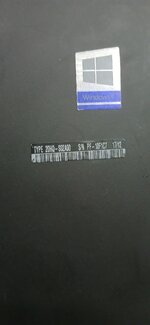
send device Type Number
reputation_scoree
Reputation:
"Instructions for use"
Remove all battery and CMOS battery
press F1 to enter setup: password 1234
wait 20sec or more.
Enter any ID to hardware Id.
Press 2x space bar when asked.
Turn off the computer.
and restore your original bios .
Enjoy.
If 2x 5beep, it's normal.
I didn't do checksum but it must light up anyway.
Wait minimum 30sec before screen logo light on. Must turn on/off several times by itself.
Remove all battery and CMOS battery
press F1 to enter setup: password 1234
wait 20sec or more.
Enter any ID to hardware Id.
Press 2x space bar when asked.
Turn off the computer.
and restore your original bios .
Enjoy.
If 2x 5beep, it's normal.
I didn't do checksum but it must light up anyway.
Wait minimum 30sec before screen logo light on. Must turn on/off several times by itself.
Attachments
reputation_scoree
Pc not Booting UP"Instructions for use"
Remove all battery and CMOS battery
press F1 to enter setup: password 1234
wait 20sec or more.
Enter any ID to hardware Id.
Press 2x space bar when asked.
Turn off the computer.
and restore your original bios .
Enjoy.
If 2x 5beep, it's normal.
I didn't do checksum but it must light up anyway.
Wait minimum 30sec before screen logo light on. Must turn on/off several times by itself.

reputation_scoree
after Flashing The Patched file. The Pc not Booting. when i press the power button fan starts then Stop, no display nothing I waited more than 10 min no display no Boot"Instructions for use"
Remove all battery and CMOS battery
press F1 to enter setup: password 1234
wait 20sec or more.
Enter any ID to hardware Id.
Press 2x space bar when asked.
Turn off the computer.
and restore your original bios .
Enjoy.
If 2x 5beep, it's normal.
I didn't do checksum but it must light up anyway.
Wait minimum 30sec before screen logo light on. Must turn on/off several times by itself.
reputation_scoree
Please Help. I Restored the original file but Pc Still not Booting"Instructions for use"
Remove all battery and CMOS battery
press F1 to enter setup: password 1234
wait 20sec or more.
Enter any ID to hardware Id.
Press 2x space bar when asked.
Turn off the computer.
and restore your original bios .
Enjoy.
If 2x 5beep, it's normal.
I didn't do checksum but it must light up anyway.
Wait minimum 30sec before screen logo light on. Must turn on/off several times by itself.
Reputation:
is your problem password or not booting ?Please Help. I Restored the original file but Pc Still not Booting
reputation_scoree
it was password problem but after I flashed the patched file now its not booting, what should i dois your problem password or not booting ?
Reputation:
if device not booting with original bios you need to check bios chip itselfit was password problem but after I flashed the patched file now its not booting, what should i do
reputation_scoree
okay let me try by changing the bios chipif device not booting with original bios you need to check bios chip itself
Reputation:
also be careful when putting the chip on the pilesokay let me try by changing the bios chip
reputation_scoree
ok Thanks. can i use any 16MB bios chip?also be careful when putting the chip on the piles
Reputation:
yes i think sook Thanks. can i use any 16MB bios chip?
but it would be better if its similar to original one
reputation_scoree
ok Thanksyes i think so
but it would be better if its similar to original one
Reputation:
good luckok Thanks
reputation_scoree
Bios Chip changed. Pc is now booting and asking for Bios Password. when i flash the patched file pc is not booting is there any other way to unlock bios password on X1 Carbon Lenovogood luck
Attachments

Reputation:
please send EC file so i check it for patching
reputation_scoree
can you help me identify where to find the EC chip? and supervisor and Bios Password is the same right? the Pc is asking for supervisor passwordplease send EC file so i check it for patching
Reputation:
yes its same thingcan you help me identify where to find the EC chip? and supervisor and Bios Password is the same right? the Pc is asking for supervisor password
you can check schematic to locate it :

Schematic - Lenovo X1 NM-B141 YD1KL-3 Ver 3.08 schematic | Boardview File for Motherboard Repair
Download boardview file for Lenovo X1 NM-B141 YD1KL-3 Ver 3.08 schematic. Useful for motherboard repair, diagnostics and component-level troubleshooting.
 dr-bios.com
reputation_scoree
Here is the EC Read fileyes its same thing
you can check schematic to locate it :
Schematic - Lenovo X1 NM-B141 YD1KL-3 Ver 3.08 schematic | Boardview File for Motherboard Repair
Download boardview file for Lenovo X1 NM-B141 YD1KL-3 Ver 3.08 schematic. Useful for motherboard repair, diagnostics and component-level troubleshooting.
Attachments
Reputation:
this 1MB file is not related to ECHere is the EC Read file
Who is viewing this thread?
There are currently 0 members watching this topic
Users who has read this topic
essential37 , Vahab Hemmati , Admin , Msyu1711 , HAFEEZCHEEMA , azul2026 , Blaise , rezatel
Related Repair Files
- Replies
- 2
- Views
- 2K


- Replies
- 1
- Views
- 604
