You are browsing as a guest. To download attachments in this section, your account must have at least a Bronze plan. After purchase, your account is activated instantly.
[ HOW TO USE THE PATCH ]
STEP 1: Flash and replace current BIOS with the generated patch file
STEP 2: Boot the machine
STEP 3: Press ENTER/F1/etc. to enter BIOS settings
STEP 4: Enter any character when asked for Supervisor Password
STEP 5: Press enter when it shows Hardware ID
STEP 6: Press space bar 2x when asked
STEP 7: Turn off machine
STEP 8: Restore original BIOS
STEP 9: Reset BIOS settings to factory default
[2026/2/21 3:31:25] version 31.19
OS = Windows 10 64bit
Driver Loading....Done
System BIOS Version -> R0RET57P
Applying BIOS Version -> R0RET53W
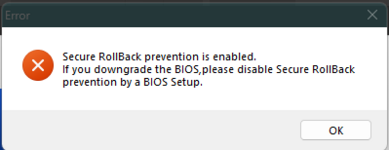
Note : Applying BIOS is older than System BIOS.
AC adapter/Battery check....OK.
BIOS Flashing....
The number of retries of BIOS update = 1
The number of retries of BIOS update = 2
The number of retries of BIOS update = 3
Failed.
Error : An unexpected error has occurred.
This site uses cookies to help personalise content, tailor your experience and to keep you logged in if you register.
By continuing to use this site, you are consenting to our use of cookies.